AI Course Creation: Generate Complete Courses
Describe a topic or upload a document, and eLeaP builds a complete course, quiz included.
The LMS That Builds the Course, Not Just Delivers It
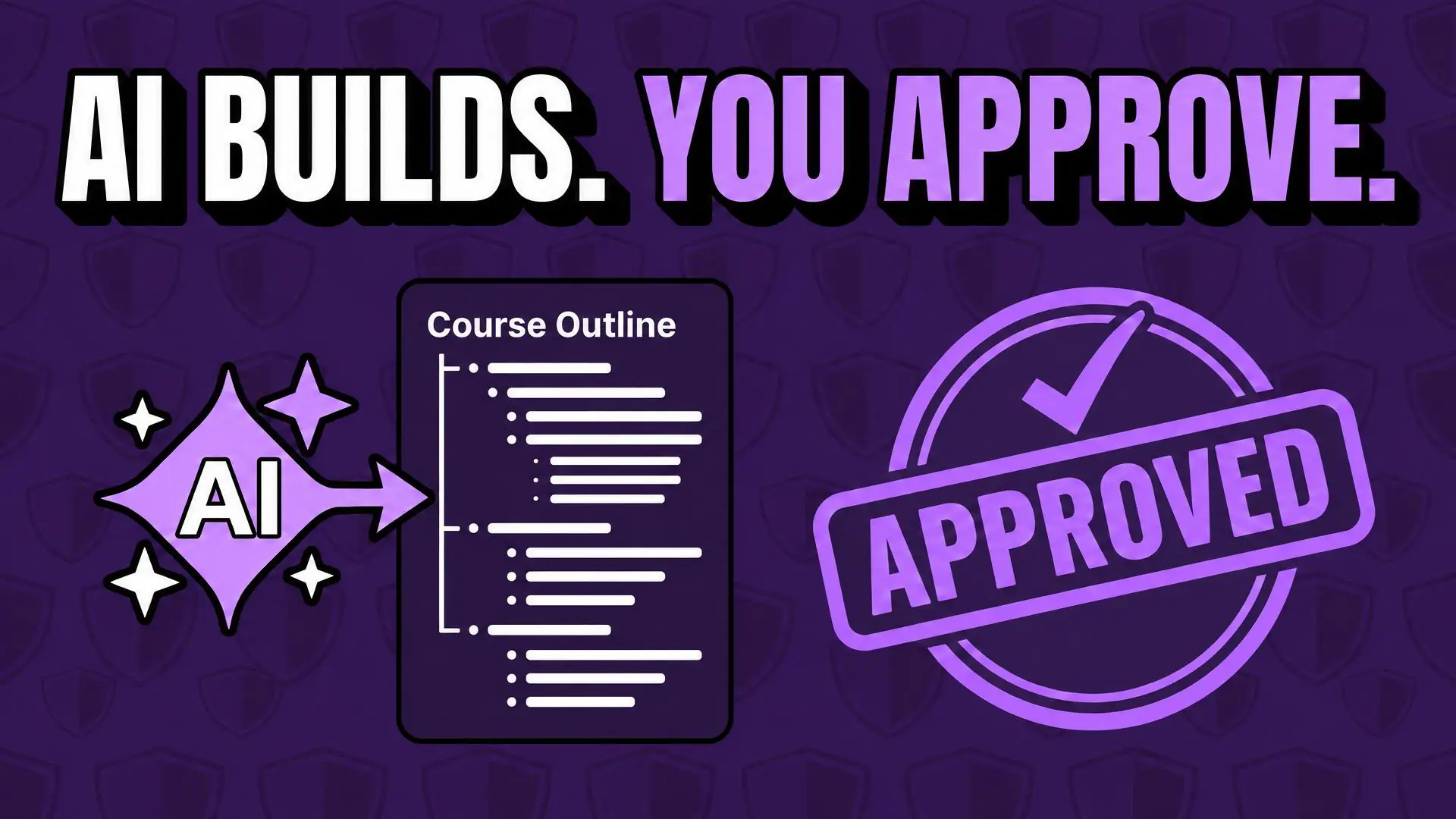
eLeaP gives training teams a complete way to build courses. Describe a topic or upload a document, and Generate with AI, eLeaP’s AI course generator, plans the course, writes every lesson, and builds the knowledge checks, practice activities, and graded quiz around it, with narration in 11 voices if you want it. You approve the plan, preview the result, and add the lessons you choose.
Start anywhere. Already have a slide deck? Convert PowerPoint turns it into a SCORM lesson inside your course. Have video, audio, or outside content? Upload video, paste a YouTube or Vimeo link, add audio, and embed iframes, including Canva designs. Then shape every lesson in the full content editor, and import content from Word or PDF.
Here is where eLeaP differs from standalone authoring tools: the course is built where it is delivered. Generated and converted lessons are SCORM lessons in your LMS, so you assign them, assess them with quizzes, and report on completion in the same system, with no export-and-upload step in between. You stay in control at every step, and Generate with AI runs on AI credits, with free trial credits for new accounts.
Key Features
-
Describe It. Get a Complete Course.
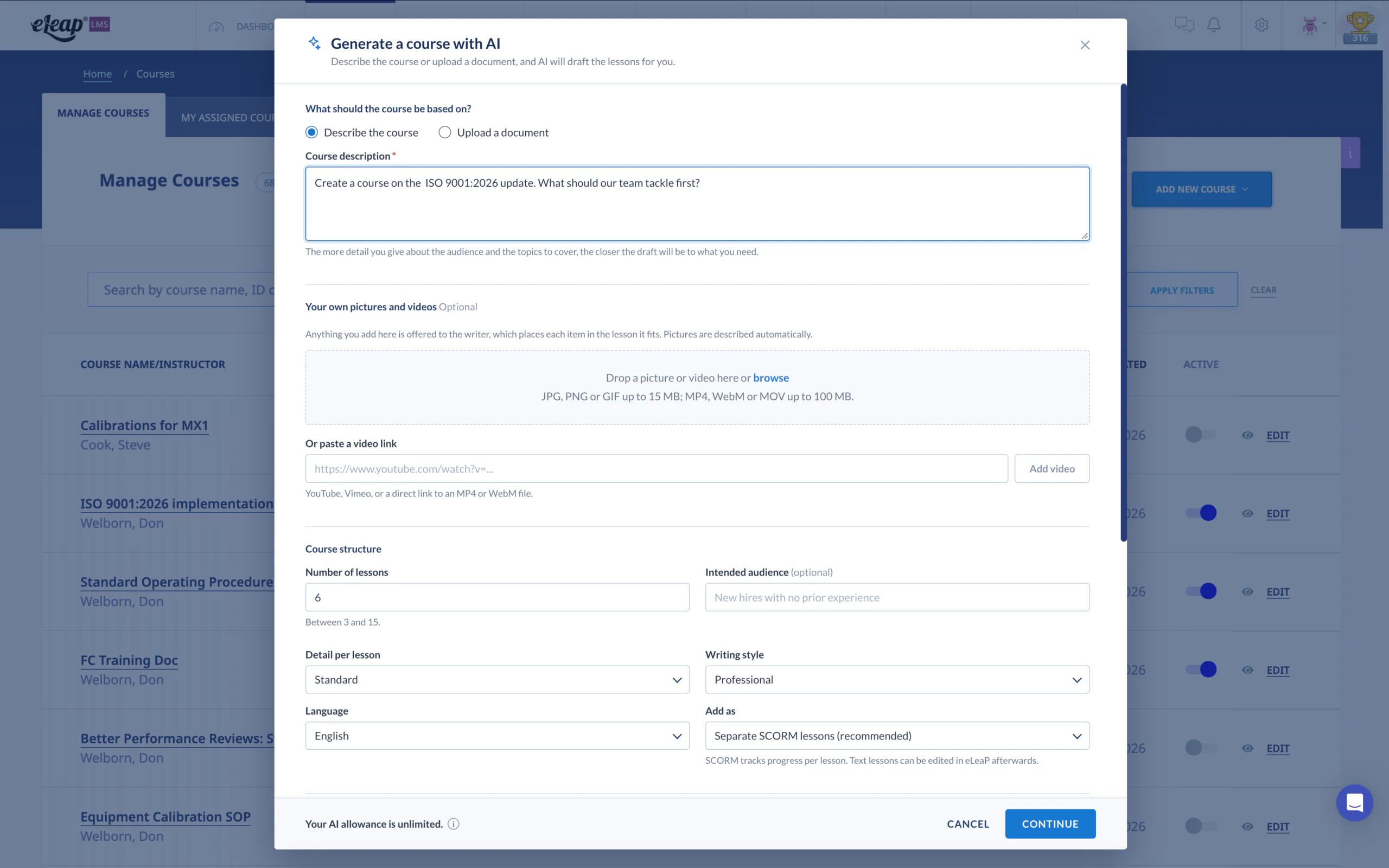
Share the topic, audience, and tone, or upload a PDF, Word, or text document. eLeaP plans the course, writes every lesson, and builds the assessments around it. You approve the plan and choose the lessons to add.
-
Practice and Assessment Built In
Every course can include knowledge checks, scenarios, flashcards, and reflection prompts, plus an optional graded quiz with the pass score you set. Choose 1 to 10 questions per lesson, and add narration in 11 voices.
-
Slides In. SCORM Out.
Pick your PowerPoint presentation, and eLeaP converts it into a SCORM lesson inside your course. Your slides become numbered pages in a lesson player with a menu, a progress bar, and full-screen mode.
-
Build With Your Own Content
Upload documents and video. Paste YouTube or Vimeo links, add audio, and embed outside content with iframes, including Canva designs. Upload the SCORM packages you already have.
-
Finish It in the Content Editor
Format text, add tables, images, links, and media. Import content from Word or PDF, export it to Word or PDF, and add quick quizzes, flip cards, and feedback fields. With an AI plan, built-in AI tools can improve, simplify, summarize, or translate your writing.
Built for the way training teams actually work, eLeaP puts course creation where your training already lives. Describe it, convert it, or build it, then assign it, assess it, and report on it in one LMS. Our platform was designed by experts who understand the daily challenges of building and managing training. Whether you create one course a quarter or manage training across many teams, every feature supports administrators, instructors, and course coordinators. Stop juggling separate authoring tools and start building complete courses in your LMS.
Benefits of eLeaP’s AI Course Creation Tools
Training teams that want complete courses built from what they already know can benefit from the following advantages:
-
Start With What You Already Have
Your expertise already lives in documents, slide decks, and videos. Describe the course, upload the document, or convert the presentation, and eLeaP builds from it instead of starting from a blank page.
-
Stay in Control of Every Lesson
Approve the plan before lessons are written, preview each lesson in the real lesson player, and add only the lessons you choose. Edit generated lessons afterward in the visual editor: text, media, narration, themes, colors, and fonts.
-
One System From Build to Report
Build, assign, assess, and report in one LMS. Generated and converted lessons are SCORM lessons, so you can follow them in your reports like any other SCORM lesson, with no separate authoring tool to export from.
-
Match Your Audience, Tone, and Language
Set the audience, writing style (Professional, Technical, or Plain language), and level of detail. Write in any language active on your account, and apply one design to every lesson for a consistent look.
-
Flexible Ways to Pay for AI
Use eLeaP AI credits, or connect your own AI provider key so your provider bills you directly. Every generation shows its cost in credits before you start, so you know the cost up front.
See how training teams build courses with eLeaP. Start anywhere, finish with a course, and keep every lesson in the LMS you already use. Experience complete courses built from the content you already have, with every lesson under your control.
AI Course Creation Platform
Discover how eLeaP’s course creation tools work together, from AI generation to the full content editor.
Training teams get a complete course-building toolkit inside the LMS: Generate with AI, PowerPoint conversion, video, audio, embedded content, and a full content editor. Generate with AI plans the course, writes the lessons, and builds the activities and an optional graded quiz. Start with a description, a document, or a slide deck, and finish with a course your team controls. Everything lands in your LMS as lessons you can assign, assess, and report on.
Inside a Generated Course
A complete course has many parts, and building each one by hand takes planning, writing, and formatting. Generate with AI takes on the building, from the course plan to the finished lesson, and the eLeaP course tools cover the rest. Here’s what they handle for you:
-
Course Plan and Lessons, Written for You
Generate with AI builds a course plan with chapters, pages, and the content on each page, then writes every lesson for your audience, tone, and level of detail. Choose 3 to 15 lessons per generation.
-
Optional Narration in 11 Voices
Add audio to every page, built into the SCORM package, in a choice of 11 voices. You can also record narration later, one lesson at a time, from the visual editor. Hear a free sample of any voice first.
-
Your Media Placed in the Right Lesson
Add your own pictures and videos with a note on what each covers, and eLeaP places them in the right lesson. Pictures are described for screen readers, and the review screen shows where each item landed.
-
Visual Editor and Design Control
Open any generated SCORM lesson in the visual editor to change text, add content blocks, place media, and record narration. Pick a theme, adjust colors and fonts, and apply one design to every lesson.
-
Clear Credits and Clear Data Handling
See the cost in AI credits before you start. A document uploaded to Generate with AI goes to the AI provider to be read. If it is too sensitive to send, describe the course instead.
Experience a smarter way to build training with eLeaP, where your content becomes complete courses and your team stays in control of every lesson.
Why Choose eLeaP?
Understand the compelling reasons and unique advantages for selecting eLeaP as your AI course creation platform and your complete learning management system.
We know you have choices when it comes to course creation tools. Here’s what sets eLeaP apart. It’s simple: you build, deliver, and track courses in one place, and you stay in control of every lesson.
-
Brand
For over 20 years, eLeaP has served training teams in regulated industries, continuously investing in tools that make training simpler and more effective. Generate with AI is the latest step in that work, built on a foundation of ongoing innovation.
-
Innovation
Describe a course and get a complete one. Convert a PowerPoint into a SCORM lesson. Embed an iframe or a Canva design. Shape it all in a full content editor. These are tools built for the people who build your training, and technology your team will actually use.
-
Trust/Reliability
We tell you what the AI does. Approve the plan before lessons are written, preview the result, and see the credit cost up front. A document uploaded to Generate with AI is sent to the AI provider so it can be read.
-
Platform
One system to build, deliver, and track courses. Create with AI, convert slides, or build by hand, then assign, assess with quizzes, and report on completion, with no switching between separate authoring tools. Everything you need to create and run training in one platform.
-
Extended Services
Our support goes beyond software. From onboarding guidance to course setup, our team can help you get the most from AI generation, PowerPoint conversion, and the editor. Expect responsive, knowledgeable service, not support scripts.
Case studies: a track record of excellence
See the results of so many who have used the eLeaP system
-

Maldivian Airlines
Maldivian, the national airline of the Maldives is the leading domestic carrier. Maldivian currently operates to India and Bangladesh from its main hub at Velana International Airport. Maldivian offer both...
-

Bionical Solutions
Founded in 2001, Bionical Solutions is a pharmaceutical manufacturing company headquartered in Willington, Derbyshire, United Kingdom. The company provides clinical, commercial, and digital services to life sciences companies in the...
-

Biorasi, LLC.
Headquartered in Florida, United States, with office-based teams around the globe, Biorasi is a global, award-winning and full-service contract research organization (CRO) that delivers the speed and agility that today’s...
-

Natus Medical Incorporated
Founded in 1989, Natus Medical (Natus) is a medical equipment manufacturer based in the US. The company offers medical equipment, software, supplies, and services for diagnosing, monitoring, and treating impairments...