Convert PowerPoint to SCORM: Slides to Lessons
Upload your .pptx, and eLeaP turns it into a SCORM lesson inside your course, ready to assign and track.
Your Slide Deck, Now a Trackable SCORM Lesson
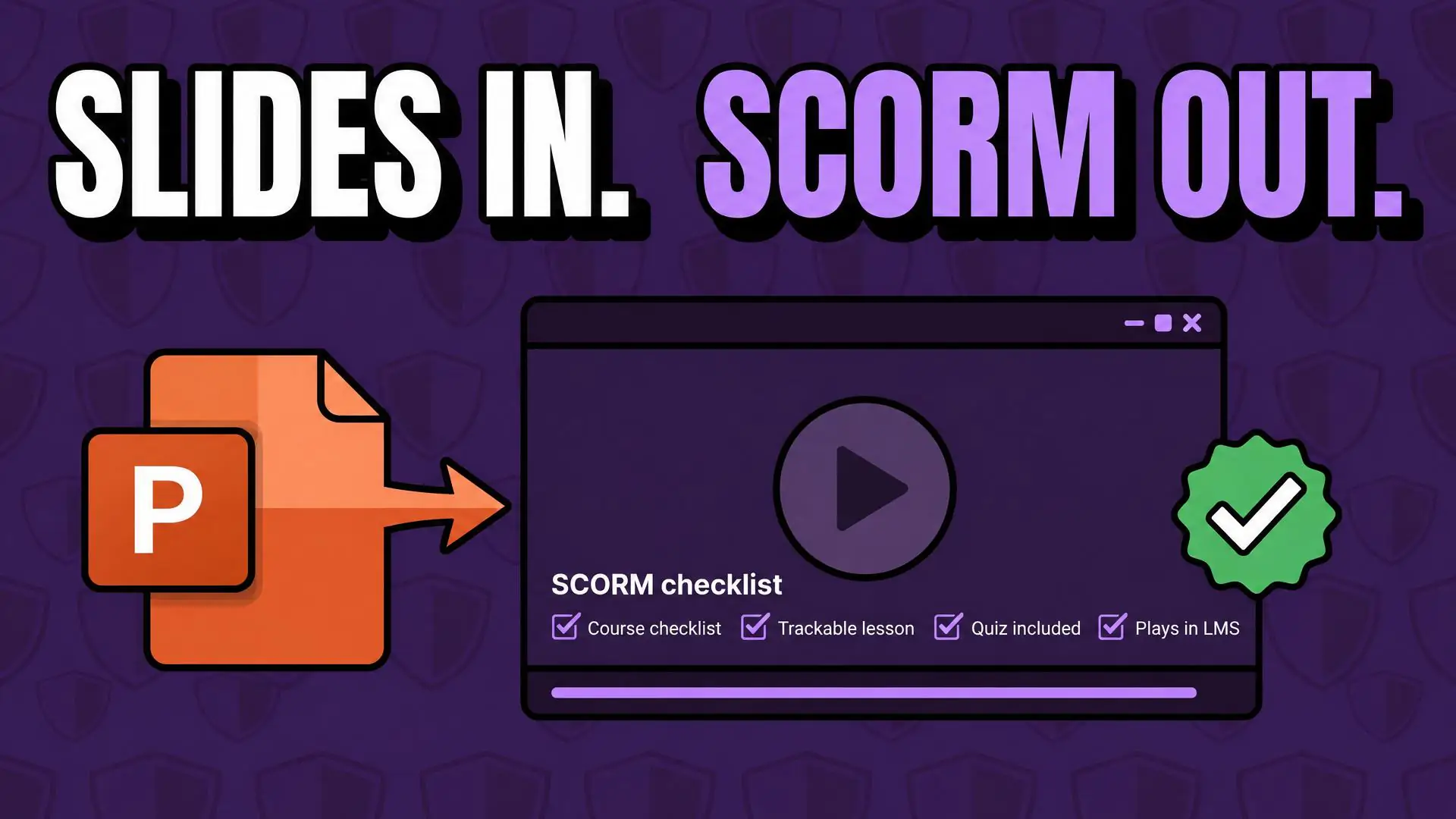
Most training starts as a slide deck. The content is already written, reviewed, and approved, but a PowerPoint file can’t tell you who finished it. With eLeaP, Convert PowerPoint turns that presentation into a SCORM lesson inside your course. Pick your .pptx file, wait for the conversion to finish, and your slides become a lesson you can assign, track, and report on like any other.
Your slides become numbered pages in a lesson player. Trainees move through them with a menu, Prev and Next buttons, and a progress bar, and they can view the lesson full screen. Need more than slides? Add a graded quiz, upload video, embed outside content, or build the rest of the course with Generate with AI.
Here is where eLeaP differs from standalone converters: the lesson is created where it is delivered. There is no export, no zip file to upload again, and no second tool to learn. You stay in control, too. Preview the converted lesson in the player, and turn it on for trainees when you are ready.
Key Features
-
Pick a .pptx. Get a Lesson.
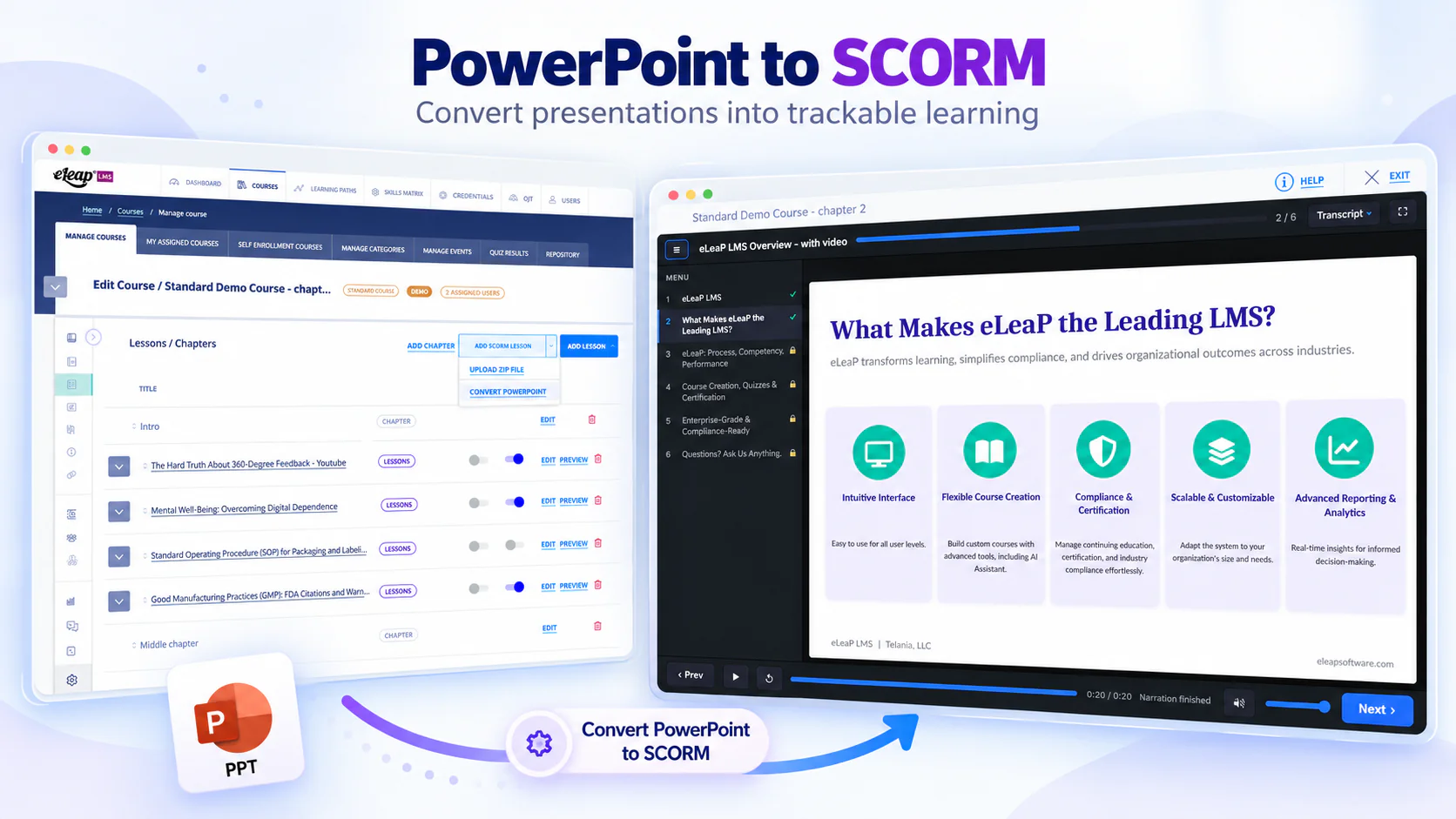
From the Lessons screen, click the arrow beside Add SCORM Lesson and choose Convert PowerPoint. Select your .pptx file, and eLeaP converts the presentation and creates the SCORM lesson in your course automatically. No extra software needed.
-
A Real Lesson Player for Slides
Your slides become numbered pages in a menu on the left of the lesson player. Trainees move with Prev and Next, follow a progress bar, see their place in the deck, such as 3 / 12, and can switch to full screen.
-
Preview Before Trainees Do
Open the converted lesson in the player with Click to Relaunch and check every slide first. Then use the lesson’s Active, Shared, and Open Date settings to control when it opens and who can find it.
-
Tracked Like Any SCORM Lesson
A converted presentation is a SCORM lesson in your LMS. Assign the course, and follow progress and completion in your reports, the same as any other SCORM lesson, with no export-and-upload step in between.
-
Build the Rest of the Course
Add a graded quiz, video, YouTube or Vimeo links, audio, and embedded content, all in the same course as your converted slides. Or use Generate with AI to build more lessons for the course.
Built for the way training teams actually work, eLeaP lets you keep the slides you already trust and put them where training lives. Convert the deck, then assign it, assess it with a quiz, and report on it in one LMS. Our platform was designed by experts who understand the daily challenges of building and managing training. Whether you convert one presentation or a library of them, every feature supports administrators, instructors, and course coordinators. Stop hunting for converters and start delivering your slides as trackable lessons.
Benefits of eLeaP’s PowerPoint to SCORM Conversion
Training teams with slide decks they already trust can benefit from the following advantages:
-
Reuse the Decks You Already Have
Your expertise already lives in slides. Convert the presentation instead of rebuilding it, and your approved content reaches trainees as a lesson with a slide menu, simple navigation, and a progress bar.
-
No Separate Tool to Learn
Convert inside the LMS. There is no authoring software to open, no package to export, and no zip file to upload. Pick the file, and the new lesson appears in your course, ready for you to review.
-
Trackable From the First Assignment
Converted lessons are SCORM lessons, so they sit in your course like any other. Assign them, set quizzes around them, and follow completion in the reports your team already uses.
-
A Consistent Experience for Trainees
Every converted deck opens in the same lesson player, with the same menu, controls, Help, and Exit. Trainees learn the interface once and use it across all your SCORM lessons.
-
Easy to Combine With Other Content
Mix converted slides with video, audio, embedded content, and AI-generated lessons in one course. Drag and drop to put the lessons in the order your trainees should take them.
See how training teams put their slides to work with eLeaP. Convert the deck, add what it needs, and deliver it in the LMS you already use. Experience lessons that start from the content you already have and end with results you can report on.
PowerPoint to SCORM Conversion Platform
Discover how eLeaP converts, delivers, and tracks your presentations, from the first upload to the completion report.
Convert PowerPoint is part of eLeaP’s course-building toolkit, alongside Generate with AI, video, audio, embedded content, and a full content editor. Choose Convert PowerPoint, and your presentation becomes a SCORM lesson in your course. Pair it with a graded quiz and reports, and the deck you started with becomes training you can assign and track.
Inside a Converted Lesson
A converted presentation opens in the same lesson player as the rest of your SCORM lessons. Here’s what trainees and administrators get:
-
Slides as Numbered Pages
Each slide is listed as a numbered page in a menu on the left. The top bar shows where the trainee is in the deck, such as 1 / 6, so nobody loses their place.
-
Simple Navigation Controls
Prev and Next buttons, play and pause, replay, and a volume control sit along the bottom, with a progress bar that shows elapsed time. Trainees need no instructions to use them.
-
Full Screen, Help, and Exit
Trainees can switch to full screen for a larger view of each slide. Help and Exit are always in the top bar, so they can get support or leave the lesson at any time.
-
Preview Before You Publish
Click the lesson title to open its View Lesson screen. Relaunch the lesson to check it, then use the Active, Shared, and Open Date settings to decide when trainees see it.
-
Tracked in Your Course Reports
Converted lessons are stored like any SCORM lesson. Once trainees launch them, results appear alongside the rest of your SCORM lessons in your course reports.
Experience a smarter way to deliver training with eLeaP, where the slides you already have become SCORM lessons your whole team can take and track.
Why Choose eLeaP?
Understand the compelling reasons and unique advantages for selecting eLeaP as your PowerPoint to SCORM solution and your complete learning management system.
We know you have choices when it comes to converting presentations. Here’s what sets eLeaP apart. It’s simple: you convert, deliver, and track in one place, with no extra tools in between.
-
Brand
For over 20 years, eLeaP has served training teams in regulated industries, continuously investing in tools that make training simpler and more effective. Convert PowerPoint is part of that work, built to turn the content you already have into training you can track.
-
Innovation
Pick a PowerPoint file and get a SCORM lesson. Add a quiz, a video, or an embedded Canva design. Or let Generate with AI build the rest of the course. These are tools built for the people who build your training, and technology your team will actually use.
-
Trust/Reliability
Your presentations stay under your control. Preview the converted lesson before trainees see it, choose when it opens, and follow completion in the reports you already use. Your lessons live in the same dependable LMS as the rest of your training.
-
Platform
One system to convert, deliver, and track. Turn slides into SCORM lessons, then assign, assess with quizzes, and report on completion, with no switching between separate authoring tools. Everything you need to create and run training in one platform.
-
Extended Services
Our support goes beyond software. From onboarding guidance to course setup, our team can help you get the most from PowerPoint conversion, AI generation, and the editor. Expect responsive, knowledgeable service, not support scripts.
Case studies: a track record of excellence
See the results of so many who have used the eLeaP system
-

Maldivian Airlines
Maldivian, the national airline of the Maldives is the leading domestic carrier. Maldivian currently operates to India and Bangladesh from its main hub at Velana International Airport. Maldivian offer both...
-

Bionical Solutions
Founded in 2001, Bionical Solutions is a pharmaceutical manufacturing company headquartered in Willington, Derbyshire, United Kingdom. The company provides clinical, commercial, and digital services to life sciences companies in the...
-

Biorasi, LLC.
Headquartered in Florida, United States, with office-based teams around the globe, Biorasi is a global, award-winning and full-service contract research organization (CRO) that delivers the speed and agility that today’s...
-

Natus Medical Incorporated
Founded in 1989, Natus Medical (Natus) is a medical equipment manufacturer based in the US. The company offers medical equipment, software, supplies, and services for diagnosing, monitoring, and treating impairments...