How to Choose an LMS for a Regulated Company: Seven Questions That Produce Audit-Ready Evidence

A regulated company does not pick a learning management system (LMS) on course features. It picks one on whether the system can prove, in a single record, that the right person completed the right version of the right material at the right time. This article gives you the definition, the controls to check, a worked example, and seven questions to put to any vendor.
What an LMS has to prove in a regulated company
A completion report full of green checkmarks can look reassuring. Then an investigator sits down with your training records, picks one procedure, and asks a simple question: who was trained on the current version, and when?
In one kind of office, somebody opens three spreadsheets and a shared drive folder, and the answer takes most of the afternoon. In the other, one record shows the procedure, the assignment, the score, the signature, and the CAPA that started it all. The question is the same. The day is very different.
That contrast is the whole case for choosing an LMS carefully. In a regulated company, an LMS is the system that holds evidence that the right person completed the right version of the right material at the right time, in a record that is attributable to that person. Delivering the course is one function. The defensible position is the evidence trail around it.
Where 21 CFR Part 11 applies, that trail needs controls for electronic signatures, audit trails, and access. Part 11 generally applies when records that FDA requires are kept electronically and relied on for regulated activities. Document which of your training records are in scope, then assess the controls that fit. Be careful with any vendor who says its product is simply “Part 11 compliant.” Compliance depends on how you configure, validate, and use the system.
What regulators and standards expect from training records
Every regulated sector asks for the same thing in different words: show me. The documents differ, so it helps to know which one governs your scope.
Medical devices. The Quality Management System Regulation (QMSR) took effect on February 2, 2026. It amends 21 CFR Part 820 by incorporating ISO 13485:2016 by reference. Clause 6.2 of that standard covers competence and training, including records and an evaluation of whether the training worked. That last phrase matters for LMS selection, because it asks for evidence of effectiveness as well as attendance.
Drug manufacturers. 21 CFR 211.25 requires that personnel have education, training, experience, or a combination of these that lets them perform their assigned functions. It adds job-specific training and continuing CGMP training delivered by qualified individuals. Your records need to show both the initial qualification and the ongoing training.
Automotive, aerospace and general manufacturing. ISO 9001, IATF 16949 and AS9100 each carry a competence and training clause. IATF 16949 extends ISO 9001 for the automotive supply chain, and AS9100 does the same for aviation, space and defense, so one training evidence trail can serve more than one audit. ISO 9001:2026 has now been published. Confirm the edition and transition requirements that apply to your organization, and check the status of IATF 16949 and AS9100 separately.
Other regulated industries. Financial services, energy, and other sectors with licensing or continuing education rules face the same evidence question from their own examiners. The seven questions later in this article apply to them as well.
If you work across more than one of these, map your training requirements once and let the LMS apply them by role. Maintaining separate trackers per standard is how records start to disagree with each other.
One revised procedure, six steps
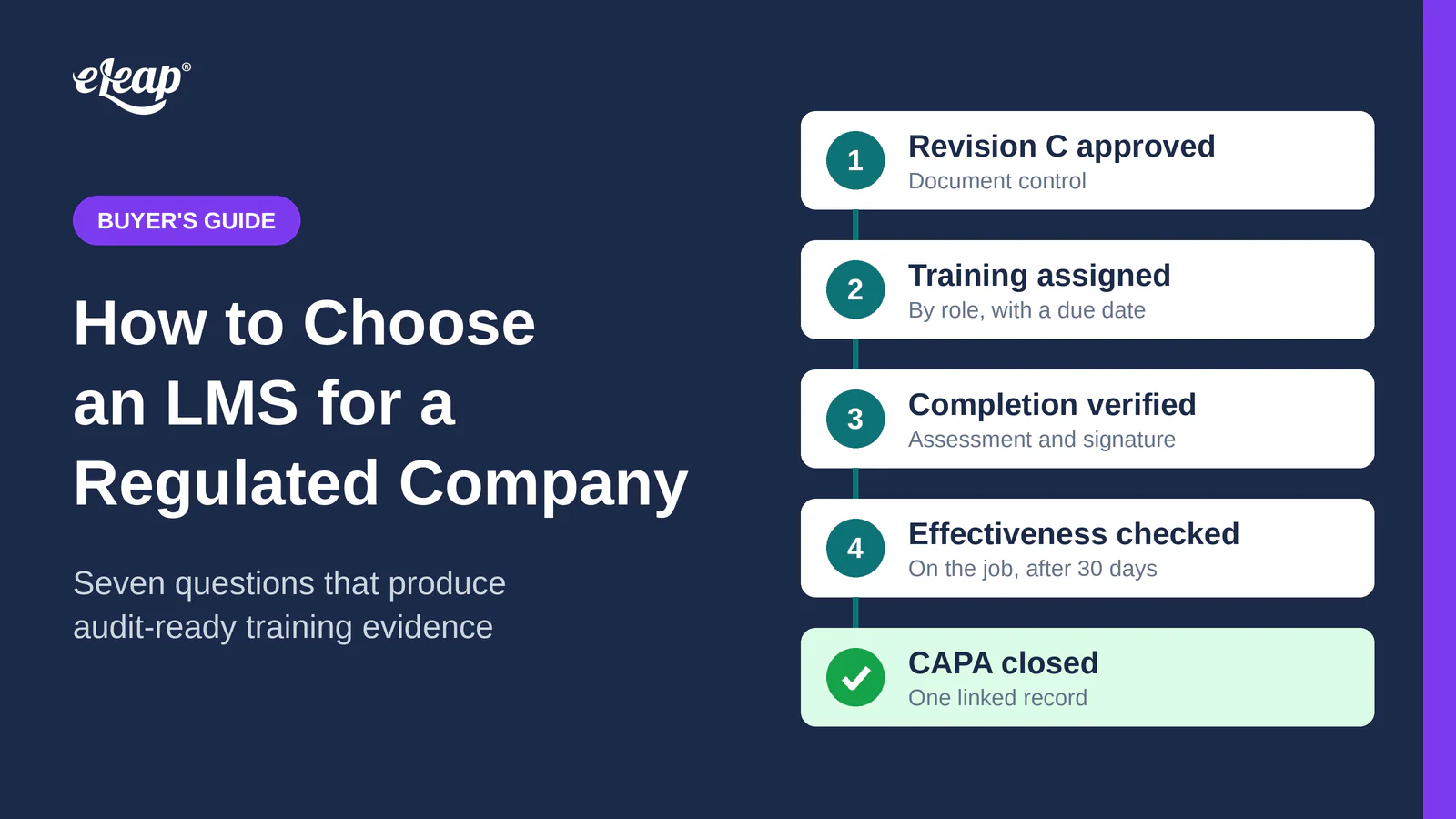
A hypothetical but common occurrence makes the requirements concrete. A manufacturer revises its incoming inspection procedure. It is now Revision C, and the revision came out of CAPA-2026-014, where an inspector accepted a lot that should have been rejected because the old sampling step was ambiguous. This example is illustrative and does not describe a real company.
- The revision is approved in document control. In this example, approval triggers the training assignments, and the change plan controls the work until people are qualified.
- The affected roles are receiving inspectors and the QA reviewers who make the acceptance decision. The system assigns Revision C to them automatically, with a due date. It reads the current roster at approval and applies the requirement again when someone joins or changes roles, so a person who joined last week gets it too.
- Verified completion. A read-and-understood click records an acknowledgment. For a change that alters how a lot is accepted or rejected, you want evidence that the person can apply the revised step, such as a short assessment, plus a signature attributable to the person who took it.
- Effectiveness check. Kirkpatrick’s four levels are a useful lens: reaction, learning, behavior, and results. A well-designed quiz gives you level two evidence of learning. For this change, you would also check, say thirty days out, whether inspectors apply the new sampling step on the job and whether escaped defects drop. Those are levels three and four.
- Closure review. The CAPA plan makes verified training and the effectiveness result part of the closure criteria. The system blocks closure while required evidence is missing, so the CAPA owner sees exactly who is still overdue. Someone has to check why, whether it is an absence or a role mismatch, and the owner reviews the complete record before approving closure.
- One linked trail. Once those exceptions are resolved, the Revision C document, the assignment, the score, the signature, the effectiveness result, and the CAPA all connect. When an investigator asks who was trained on the current version and when, you open a single record.
The point of the walkthrough is the links between steps. Any one of these steps is easy to do in a spreadsheet. The difficulty is keeping the six of them consistent with each other as people, roles, and revisions change.
Manual records versus a connected trail
In a manual setup, the training tracker lives in a spreadsheet. The procedure lives in a shared folder that holds two copies of Revision B and one file called “final” that nobody trusts. Retraining happens when a supervisor remembers. Approvals travel by email, and the one email you need is in the inbox of someone who is on vacation the week the auditor arrives.
Together those produce the thing investigators look for, which is records that disagree with each other. The spreadsheet says Revision C was assigned on the twelfth. The document system says Revision C was approved on the fourteenth. Now you are explaining a discrepancy instead of showing evidence.
A connected system works differently. With controlled versions and role-based routing, you can see who needs the revision. Approval can trigger the assignments. If the CAPA plan requires that training, its status feeds the closure check. The records agree because they are the same records.
Quality organizations do not get audited on effort. They get audited on evidence.
Five capabilities a connected LMS needs
Evaluate the complete LMS and QMS workflow. The LMS maintains the training evidence, and the connected quality workflow uses that evidence to control CAPA or change record closure.
- Controlled curricula tied to document versions. A curriculum, which some teams call a training matrix, maps roles to the procedures they need. When a procedure is revised, the requirement updates with it. Without this link, someone has to notice the revision and edit the assignment by hand.
- Role-based assignment and electronic signatures. People receive what their role requires. Where your process calls for a signature, the record shows who signed, when, and what the signing means. Where Part 11 applies, check the signature’s identity controls and its permanent link to the record.
- Verification before record closure. A training gate on a CAPA or a change record stops closure while required training is incomplete. A shared data model can make that gate easier to manage. If separate systems are connected, test how they reconcile training status and what happens when an update fails or arrives late.
- Traceability. Procedure to training to change to CAPA to audit. You should be able to ask which overdue trainings are blocking which CAPAs and get an answer without anybody reconstructing it from three exports.
- Dashboards. Overdue training, and repeat gaps by department or by supplier. If the same gap appears in three departments after one revision, the revision itself deserves a second look.
A useful way to hold all five together is to treat a training record as the chain of custody for competency. Chain of custody for evidence shows who held it and when, and any change is visible. A training record shows what was assigned, which version was completed, and what supports competence.
Seven questions for choosing an LMS
Take these into a vendor meeting. They follow the same logic as a QMS selection scorecard, pointed at training. The free LMS selection scorecard toolkit turns them into a scoring sheet you can fill in during the demo. Score each answer from what you see the vendor do on your own scenario, not from what a slide says.
1. Regulatory fit
Ask which regulations the LMS maps to for your actual scope. For a device manufacturer, QMSR is in effect and incorporates ISO 13485:2016 into Part 820. For a drug maker, the reference is 21 CFR 211.25. For automotive and aerospace, it is the competence clause in IATF 16949 or AS9100. Ask the vendor to show where in the product each requirement is met, and how the configuration, validation and use of the system supports it.
2. Process fit
Bring your own scenario to the demo. A supplier ships a bad lot, a corrective action request opens, the receiving procedure changes, and the right people need retraining. Watch the vendor run that on your roles and your procedures. A system that handles a generic course catalog well can still fail on this chain.
3. Evidence and ALCOA+
The MHRA’s GxP data integrity guidance is a common reference for ALCOA+: attributable, legible, contemporaneous, original, accurate, and then complete, consistent, enduring, and available. Test one training record against that list. Who completed it? When, to the minute? Is this the original? Will you still be able to retrieve it years from now?
4. Adoption
Have an approver and a learner each complete a real task while you watch. If the learner takes six clicks to find an assignment in the LMS, or the approver needs a manual to sign in the eQMS, that friction can contribute to late training and workarounds on the floor. Give this part real time in the demo, because a smooth presenter can hide a difficult learner workflow.
5. Data model and integration
Ask how training data connects to the QMS and to the shop floor and lab systems, meaning your manufacturing execution system (MES) and laboratory information management system (LIMS). Can one employee identity tie a completion to the operator on a batch record or to an analyst’s qualification? If the connection is an overnight file export, ask what the record looks like in between.
6. Validation and audit trails
For medical device production and quality management system software, FDA’s Computer Software Assurance guidance recommends assurance activities based on intended use and risk. EU GMP Annex 11 calls for a risk-based assessment of system-generated audit trails for GMP-relevant changes and deletions. Put both to work in the demo: ask to see the audit trail on a training record that was changed. You want to see who changed it, what the old value was, when, and why.
7. Phased value
Start where evidence hurts most. Begin with one procedure family at one site, or with the training that gates CAPA closure. Phase one proves the connected trail on that slice, and then you extend it. A vendor that can define a first phase with a measurable evidence outcome is easier to trust than one that proposes a full rollout on day one.
AI in an LMS: assistance versus decisions
AI features are showing up in LMS products, so ask what they actually do. A vendor might use AI to find procedures or summarize a revision for each role. If it also flags repeat gaps across deviations, or creates training courses, ask what evidence supports the output.
There is one dividing line that matters. Assistance prepares information. Automated decisions change records. If the AI drafts a quiz or flags a training gap, a named reviewer looks at it and signs. Automatic assignment and a training waiver carry different risks, so ask what the LMS is authorized to do, how each action traces to its rule or model version, and who is accountable for it.
Ask for the controls in writing:
- What can the AI read?
- What can it write?
- Who reviews its output?
- Where is that review recorded in the audit trail?
Your next step
Pick one procedure. Map where its training evidence lives today: where the current version sits, how assignment happens, where completions get recorded, how effectiveness is checked, and what links back to a CAPA. That map is your requirement list, and it makes the best demo script you can bring to any vendor.
In short, an LMS in a regulated company is evidence that the right person completed the right version at the right time, held in one linked trail. Use the seven questions above to test whether a system produces that evidence on your own scenario.
To see that flow in a live system, eLeaP’s LMS covers the training lifecycle itself: course authoring in a built-in editor, SCORM import, PowerPoint conversion, learning paths, skills tracked by percentage or by level, observation checklists, instructor-led sessions with registration and attendance, and credential tracking for licenses and continuing education. It runs as one platform with the eLeaP QMS, so documents, training, change control, events and CAPA, audits, risk, design controls, suppliers, and the audit trail stay linked together. Learn more about eLeaP’s LMS and the eLeaP QMS, or request a demo.
The free selection scorecard toolkit that accompanies this article turns the seven questions into a one-page scoring sheet and a full evaluation guide.
For the quality system side of the same workflow, watch eQMS Explained: How Quality Teams Go From Audit Panic to Continuous Control.
Sources
- FDA, Quality Management System Regulation (QMSR)
- 21 CFR Part 11
- 21 CFR Part 820
- 21 CFR 211.25, Personnel qualifications
- ISO 13485:2016
- ISO 9001 quality management
- IATF 16949:2016
- IAQG (AS9100)
- MHRA, Guidance on GxP data integrity
- FDA, Computer Software Assurance for Production and Quality Management System Software (final, February 2026)
- EudraLex Volume 4, including Annex 11
- Kirkpatrick Partners, The Kirkpatrick Model